A complete LMS where knowledge lives beyond the course
Create e-learning, combine guides into courses, assign content to the right audiences and track progress over time. Manage structured learning from start to finish – while keeping the same knowledge available as searchable support in everyday work.
Do you recognise yourself?
- Knowledge disappears after the course - training is one-off, unrelated to work, and does not stick.
-
Onboarding takes too long - productivity lags despite training.
-
Difficult to measure the impact of training - no one knows if the knowledge is actually used.
Why MicroLearning?
With MicroLearning, training is broken down into smaller parts. A short video or article is both easier to absorb and takes up less time of the working day than a scheduled course.
Shorter = better retention
With MicroLearning, training is broken down into smaller parts. A short video or text is both easier to absorb and takes less time of the working day than a booked course.
Recurrent learning
Microlearning does not happen on a one-off basis. Scheduled mailings keep the knowledge alive.
Always available
Learning takes place on the employee's terms when the need arises. It is not always possible to plan.
Manage structured learning from start to finish
Train gives you the tools to create, manage and track training without unnecessary complexity. Build courses and learning journeys for onboarding, skills development and mandatory training, and follow progress at both individual and group level.
And because the content remains part of the InfoCaption platform, learning does not end when a course is completed. The same knowledge can be searched, revisited and reused whenever it is needed in everyday work.
From guides to structured training
Train makes it easy to turn individual guides and instructions into structured training, e-learning and trackable courses.
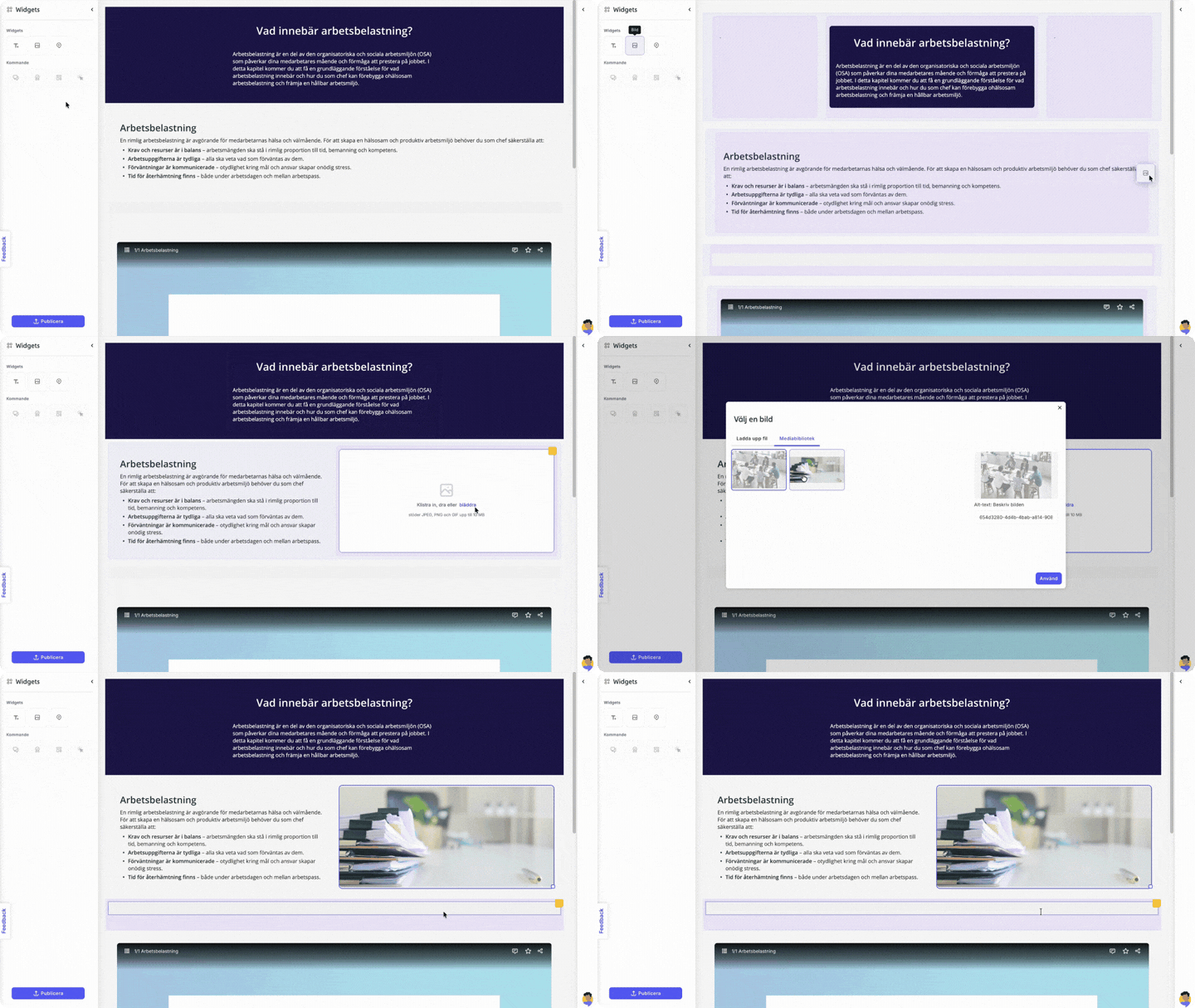
Create engaging learning content
Create content directly in the platform using text, images, video, step-by-step instructions and knowledge checks.
- Text-based guides
- Video instructions and screen recordings
- Step-by-step guides with annotations
- Built-in knowledge checks
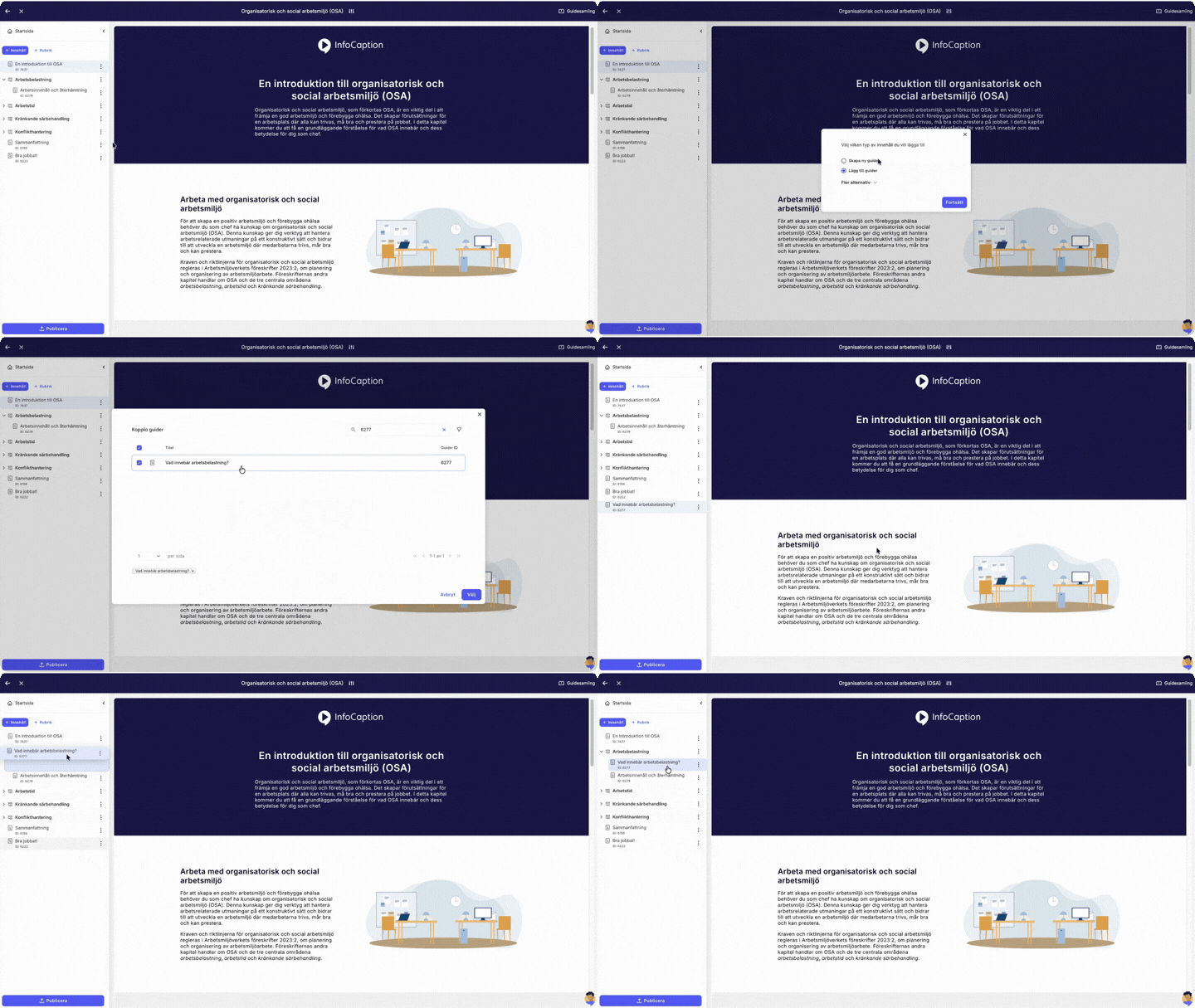
Build courses from guides and instructions
Turn guides into courses and organise content into chapters and sections. Adapt the learning experience to your visual identity, control the order of content and define how participants move through the course.
-
Chapters and modules
-
Combine guides, videos and knowledge tests
- Onboarding and learning journeys
- Update content without rebuilding the course
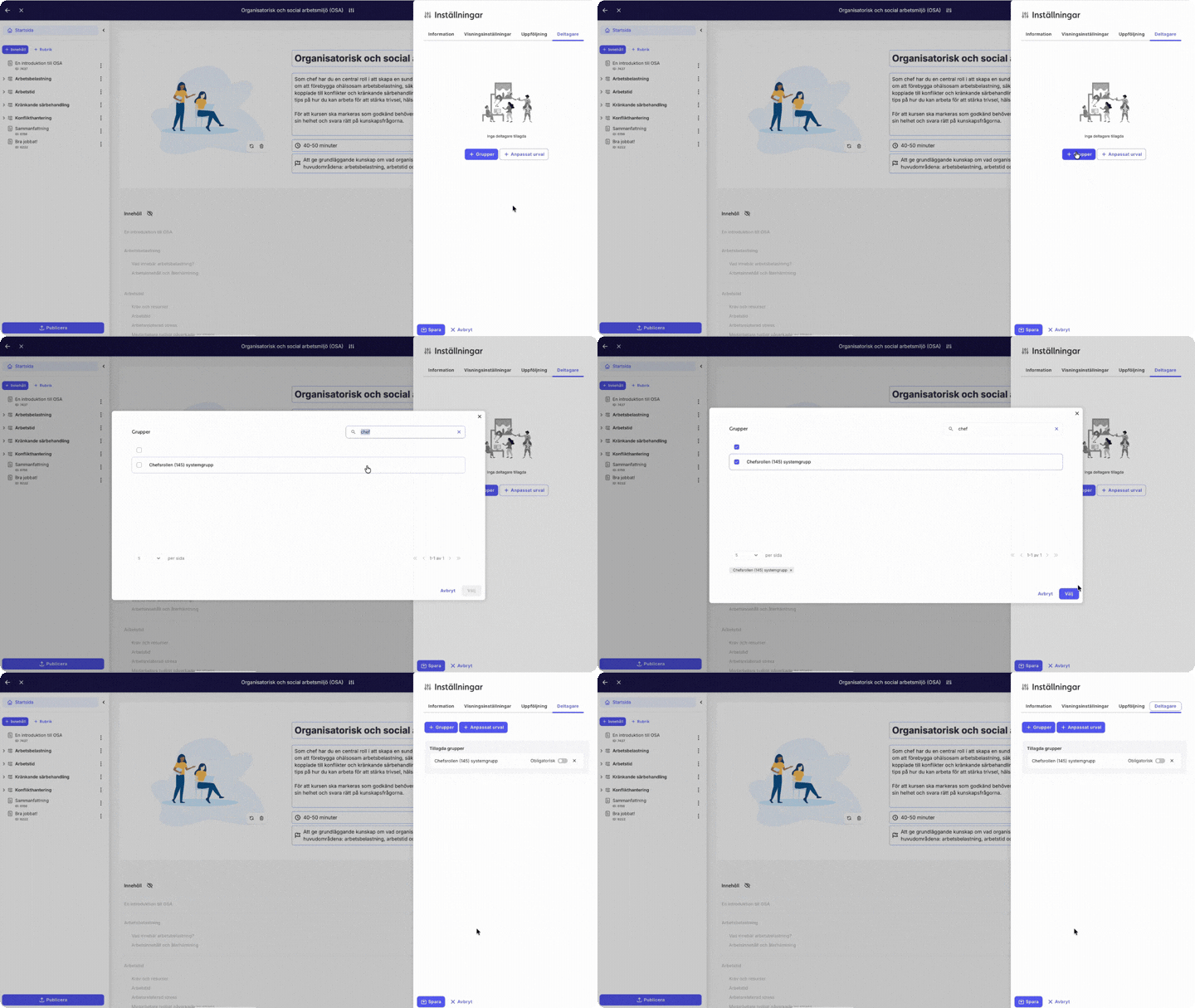
Share courses with the right audience
Assign training based on role, group or target audience. Share courses through a portal, direct link or QR code, and use automated reminders to keep learning on track.
- Target audience-based assignments
- Automated learning journeys
- Email reminders
- Flexible sharing via portals, links and QR codes
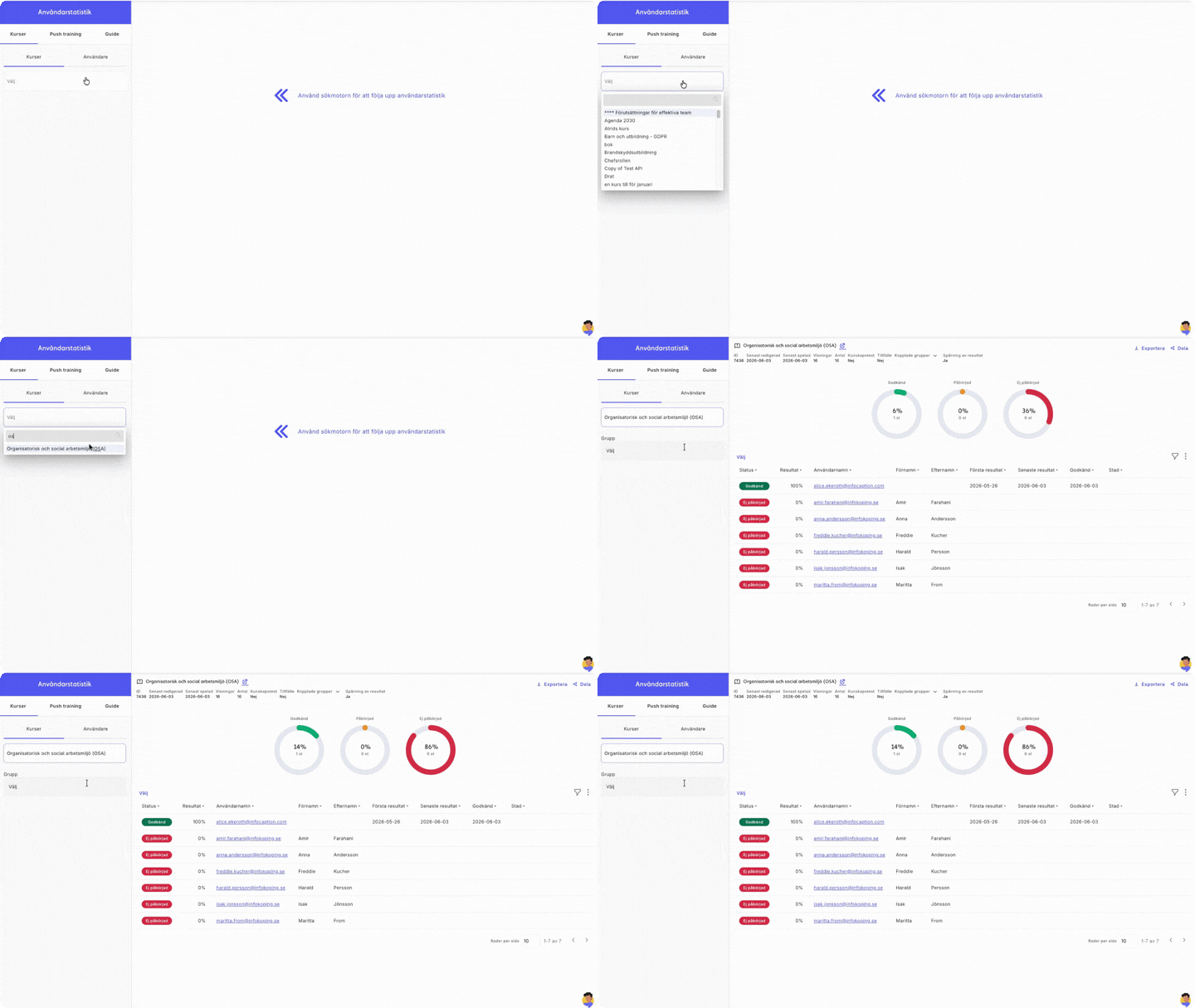
Tracks progress and learning results
Track completion, activity and knowledge check results at both individual and group level. Get a clear overview of learning progress and export data when you need deeper analysis or reporting.
-
Individual dashboard
-
Managerial reports and group overviews
-
Test results
-
Statistics export
-
Activity overview and completion status
- Course certificates and diplomas
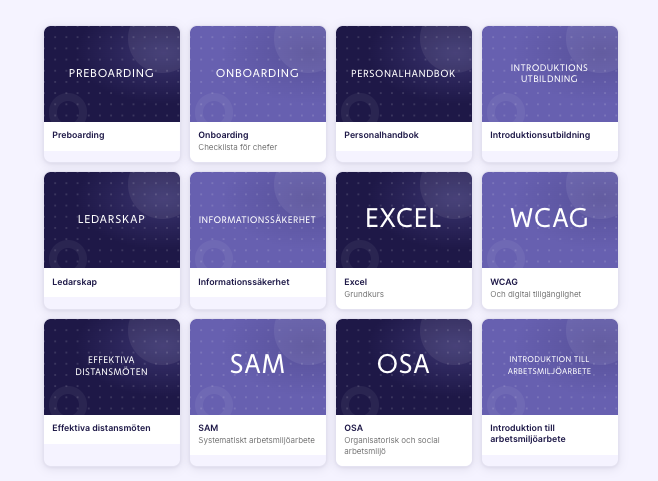
Ready-made courses and portals included
InfoCaption gives you access to ready-made content to help you get started right away. The platform includes 30+ ready-made courses and a portal gallery with examples of how training, guides and knowledge support can be structured.
This makes it easier to get started with e-learning, inductions, internal skills development or recurrent training initiatives without starting from scratch.
From course to living knowledge
|
|
Included with InfoCaption Train
|
|
With Train you get access to:
-
InfoCaption Guide - All basic functionality (read more about the platform)
InfoCaption Train:
-
Analysis tool for monitoring user statistics at group or individual level
-
Managerial reports
-
Create and manage digital and physical courses
-
Learningpaths
-
Automatic course reminders for reduced administration.
-
SCORM management of courses
-
Certificate management
-
Individual-based dashboard
Support that finds the employee - not the other way round
Context-sensitive
Knows where in the system or on which website the employee is. Shows the right guide automatically - no search or login required.
One click away
Appears on websites with a browser extension, as a Windows app on the user's computer or via API.
Always up-to-date knowledge
Guides are updated centrally. If you change a procedure, everyone sees the correct version - automatically.
Your knowledge, your control
Guides are created by you, based on your systems, processes and terminology.
Insight and follow-up
See which guides are most used - and where employees get stuck. Improve based on data.
AI chat
Ask questions in natural language. Answers are based solely on content you've created and verified in InfoCaption. No hallucinations, no guesswork.
Train in action
4 → 1 day
Training time per new employee.
Coor
-87%
Lower training costs.
Coor
7 000+
Seasonal employees onboarded.
SkiStar
COOR CUSTOMER CASE
87 %
lower training costs
Coor digitised its onboarding training, reducing the training programme from four days to just one.
Municipality of Sandviken
A fairer recruitment process
The Municipality of Sandviken uses digital training to create a shared approach to recruitment and a fairer experience for candidates.
Nacka Municipality
Interactive training with certification
Nacka Municipality uses interactive training that combines content, knowledge checks and certification in one learning experience.
"With the help of InfoCaption, we have been able to create an onboarding process that really works for our employees. The digital solution makes it easy for everyone to absorb information in a way that suits them."
Train is part of InfoCaption's digital knowledge platform
Train supports structured learning and follow-up. The real value comes when it is combined with the rest of the platform — the same content, reused in multiple ways without duplication.
Request a free video demo
Get a walkthrough of InfoCaption Train and see how it can support your organisation’s learning needs.
-
See how to create courses, guides and knowledge checks
-
Explore flexible ways to share training with your organisation
-
See how to track learning progress and results
Frequently asked questions about InfoCaption Train
InfoCaption Train provides LMS features to create, manage, assign, and track training courses. You can build courses from guides, share them with the right audiences, and track implementation and results at the individual and group level.
The difference is that the content can also remain searchable knowledge support on the platform, so that the knowledge is not used only during the course itself.
InfoCaption Train provides you with LMS functionality to create, share and track courses. The difference is that the course content is based on guides that can also be used as searchable knowledge support in everyday life.
This means that the knowledge does not have to stay in the course, but can remain when employees need to repeat, find answers or perform a task.
Yes, with InfoCaption Train, you can create digital training and e-learning by putting together guides to courses. The guides can contain text, images, videos, step-by-step instructions and knowledge tests.
This allows you to create both short training programmes and more structured courses directly in the platform.
Train provides an overview at individual, group and organisational level. You can see who has completed a training programme, what was achieved and what might need to be followed up.
Yes, Train makes it possible to monitor implementation, test results and activity at individual and group level.
Results and statistics can be exported or shared further, for example with a manager or training officer.
Yes. Train is suitable for onboarding and introductions where new employees need to learn the same basic information, but in a format that can be customised by role or group.
You can collect induction courses, guides and knowledge tests in a course portal, share them with the right audiences and follow up on what has been completed. The content also remains as searchable support, so new employees can go back to the information when questions arise.
Yes. In Train, short guides can be used as microlearning and sent out to participants on an ongoing basis. This is suitable when you want to share knowledge in smaller parts over time, for example as a refresher, reinforcement or short training intervention on a specific topic.
Yes, it does. Train supports SCORM import, which allows you to use existing e-learning material in the platform.
Yes, InfoCaption can be integrated with other systems and digital environments, such as intranets, HR systems, SharePoint, ServiceNow or competence platforms. This makes it possible to make guides and training programmes available where users already work, or to transfer relevant course data between systems.
InfoCaption's open API is also available for customised connections.
Read more about integrations here
Yes, it is. InfoCaption is used by many municipalities, regions and authorities to create, share and follow up on training and knowledge in different activities.
Train allows public organisations to bring together induction, mandatory training and recurrent competences into courses that can be shared with the right target groups and followed up at individual and group level. This makes it easier to create a common learning structure, even in organisations with many roles and activities.
Do you want to create engaging training programmes for your employees?
We'll show you how Train works in your environment - and how quickly you can see results.