Microsoft Teams is constantly evolving. New features are added, others are updated, and sometimes small changes appear that can make a big difference to your working day. Here we’ve put together five tips from Teams that you might have missed.
1. Save messages as drafts
Have you started writing a message in Teams but haven’t had time to finish it? Messages you’ve started are saved as drafts so you can easily go back and continue later.
In Teams, you can also see which chats and channels contain a saved draft, making it easier to find your way back to what you were working on.
Watch the video to see how it works (in Swedish)
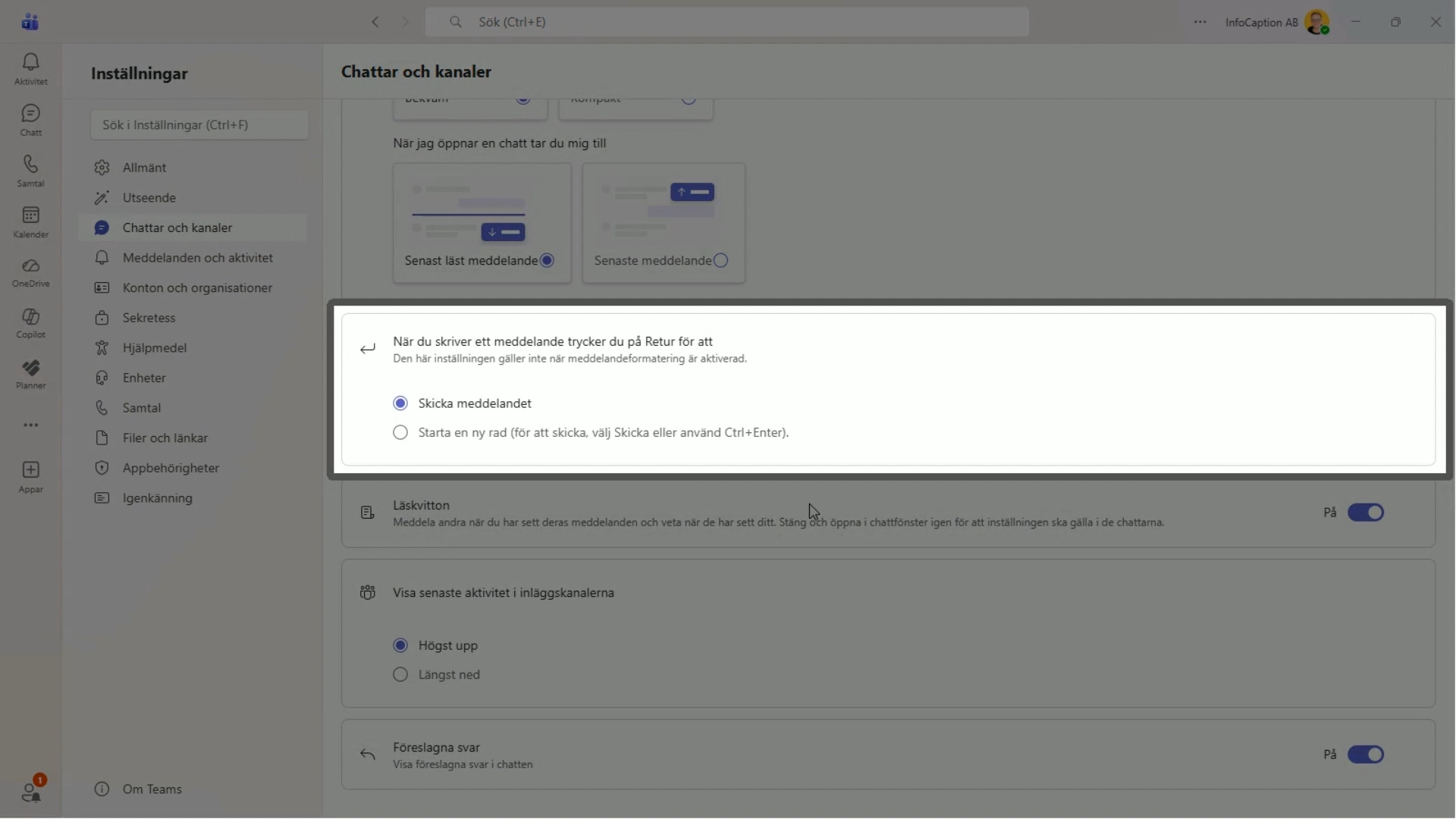
2. Decide what the Enter key should do when you’re typing
Do you often accidentally send a message when you really just wanted to insert a line break?
You can now choose what happens when you press Enter in Teams. You can set Enter to either send the message or create a new line.
A simple setting, but handy if you often write slightly longer messages in Teams.
3. Forward a Teams message
Do you need to share a message from a conversation with someone else?
Instead of copying the text or taking a screenshot, you can forward the message directly in Teams. This way, you can quickly pass on relevant information to another person or group.
See how it works in the video (in Swedish)
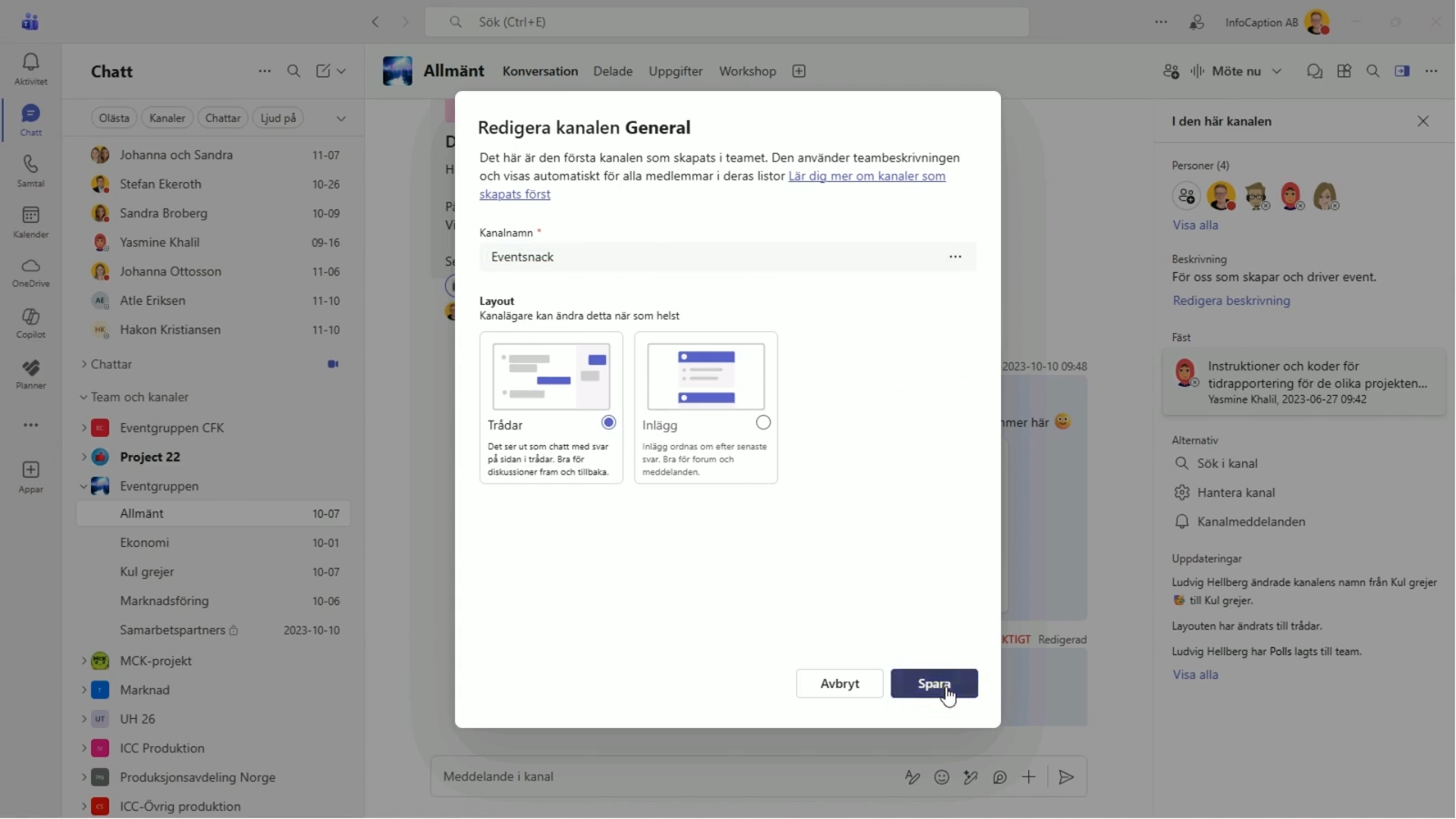
4. Rename the ‘General’ channel
A clear channel name makes it easier to understand where information belongs, especially in teams with lots of channels.
But did you know that you can also rename the "General" channel, which is created automatically when a new team is set up?
This can be a simple way to make the channel structure clearer and better suited to how the team actually works.
5. Adjust the layout to suit your working style
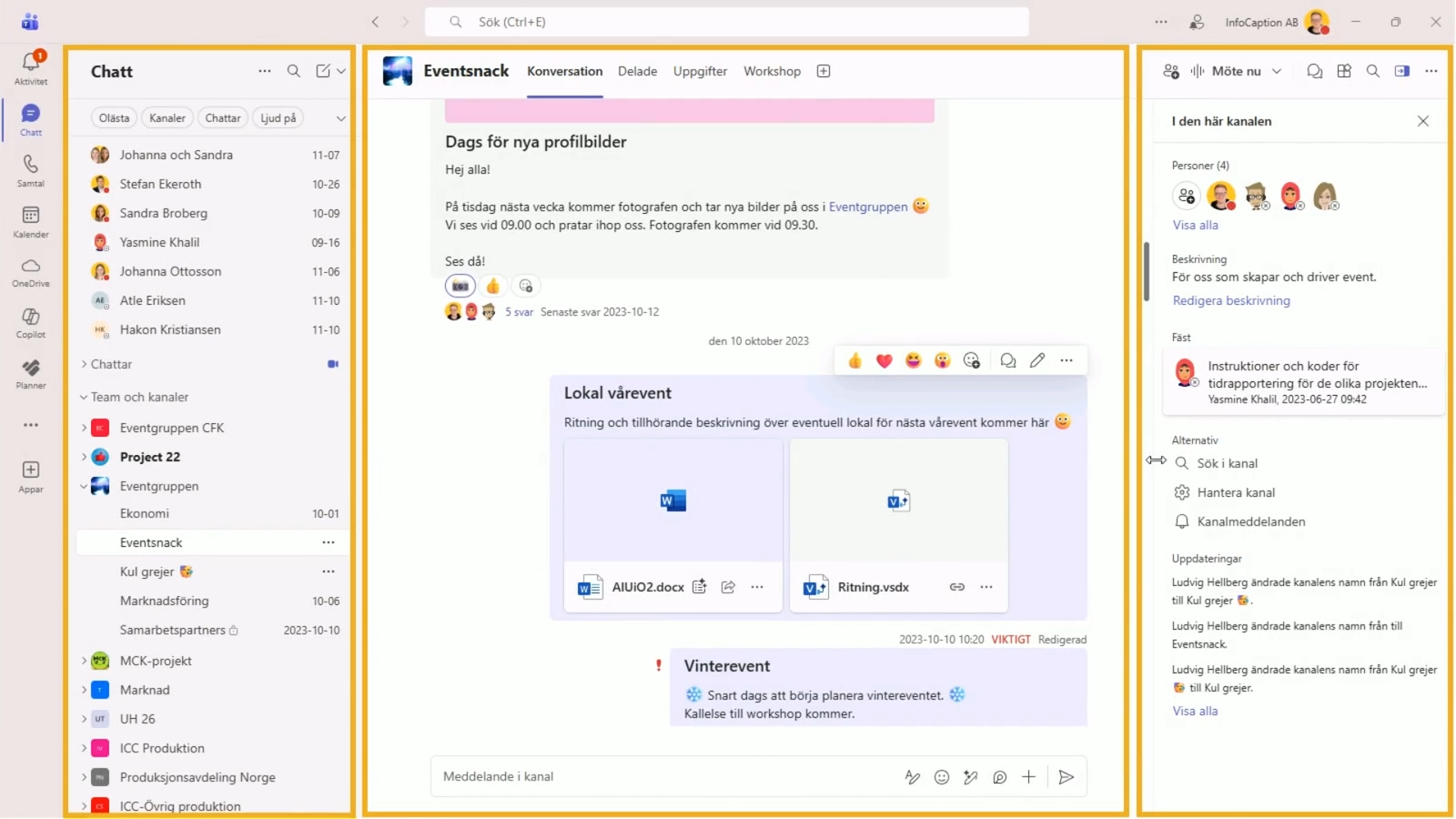
In Teams, you can customise how much screen space different parts of the interface take up.
By adjusting the size of different panels, you can create more space for what you’re working on and get a better overview when needed.
A small change that can make Teams a bit more user-friendly.
Would you like more tips and guides for Microsoft 365?
These tips are just a few examples of the sort of short, practical instructions that can make Microsoft 365 easier to use day to day.
In IC 365, staff have access to short guides and screen recordings that show, step by step, how to use various features in Microsoft 365. The content is designed to be easy to understand and straightforward to use when a question arises during the workday.
IC 365 is also updated eight times a year with new and updated guides, ensuring that the support keeps pace with changes to Microsoft 365.
Curious to know more?