Skip to content
SOLUTION

From system launch to everyday use

New systems create value when users can use them confidently in their daily work. With InfoCaption, you can support users before, during and after launch with training, guides and in-system support — helping new tools, routines and ways of working become part of everyday practice.
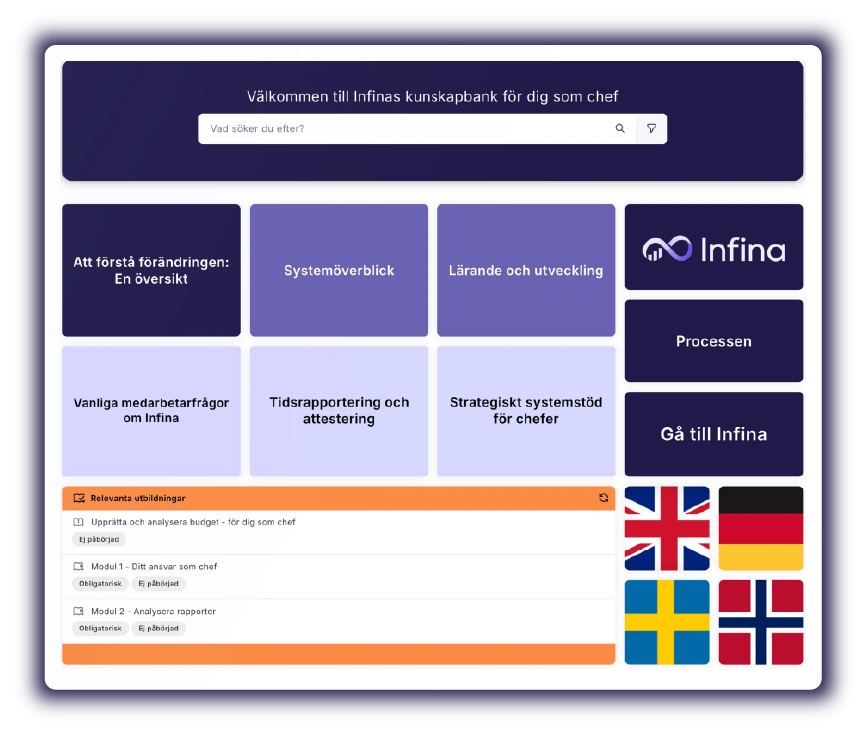
Screen shot_solution system implementation

Help users adopt new systems with confidence

System implementation often means more than introducing a new tool. It can change routines, responsibilities and the way tasks are carried out. To succeed, users need clear guidance that helps them understand what has changed and what to do in practice.

With InfoCaption, you can combine introductory training, step-by-step guides and contextual support to make new ways of working easier to understand, follow and maintain.

For example, this can include:

  • IT systems
  • Business systems and ERP systems
  • Digital tools and new ways of working
  • Microsoft 365

70%

Source: McKinsey

of transformation programmes fail to achieve their objectives.
When introducing new systems and ways of working, technology alone is not enough. Employees need to understand the change and be supported to put it into practice.

Support at every stage of implementation

Give users the guidance they need throughout the implementation journey – from initial introduction to daily support and continued everyday use.

PREPARE

Create the conditions before launch

Prepare users with introductory training, role-specific guidance and support material before the system is introduced.

  • Introductory training and onboarding programmes.

  • Role-specific guides for different user groups.

  • Checklists for first-time use

  • A shared portal with information, links and support material

LAUNCH

Help users get started from day one

When the system goes live, support needs to be close to the task. With step-by-step guides and contextual support available from the system, users can move forward without searching for information or contacting support.

  • Contextual guides accessible from the system
  • Step-by-step guides showing how to perform tasks.
  • Searchable manual for questions that arise.
  • Short instructional videos and microlearning content.

MANAGE

Reinforce everyday use over time

After launch, users still need support in their daily work. New users join, systems are updated and questions arise. InfoCaption helps you keep guidance available, relevant and easy to update.

  • Knowledge portals for ongoing support and new users.

  • Updates when the system or working methods change.
  • Usage insights to identify knowledge gaps
  • Onboarding for new employees without relying on key individuals

FROM INTRODUCTION TO EVERYDAY WORK

One platform - many ways to support users

To move from system implementation to everyday use, support needs to be easy to find in the moment of need. With InfoCaption, you can combine guides, training, process documentation and knowledge portals — so users get the right support when and where they need it.

Support and guidance in the moment of need

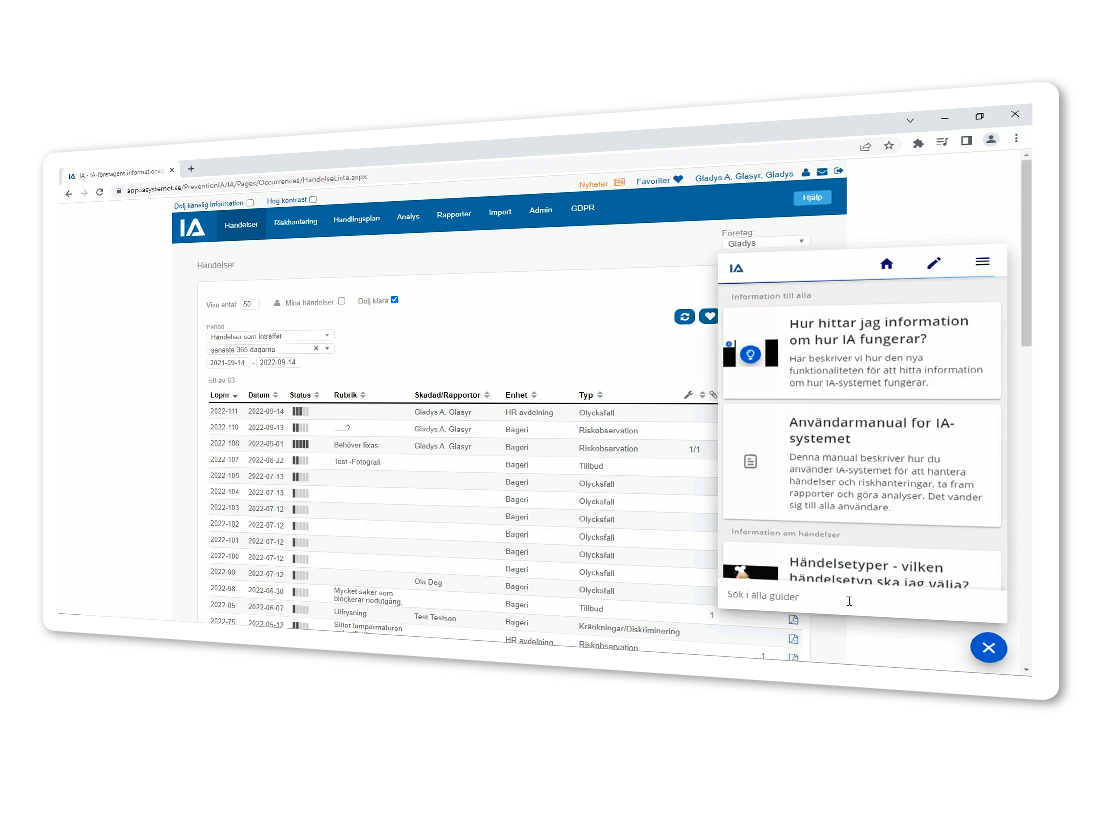
When users are performing a task, guides can appear alongside the system or page they are working in — based on where they are and what they are trying to do. This makes it easier to move forward when questions arise or a task needs to be completed.
Systemimplementation_Bild1

Process documentation

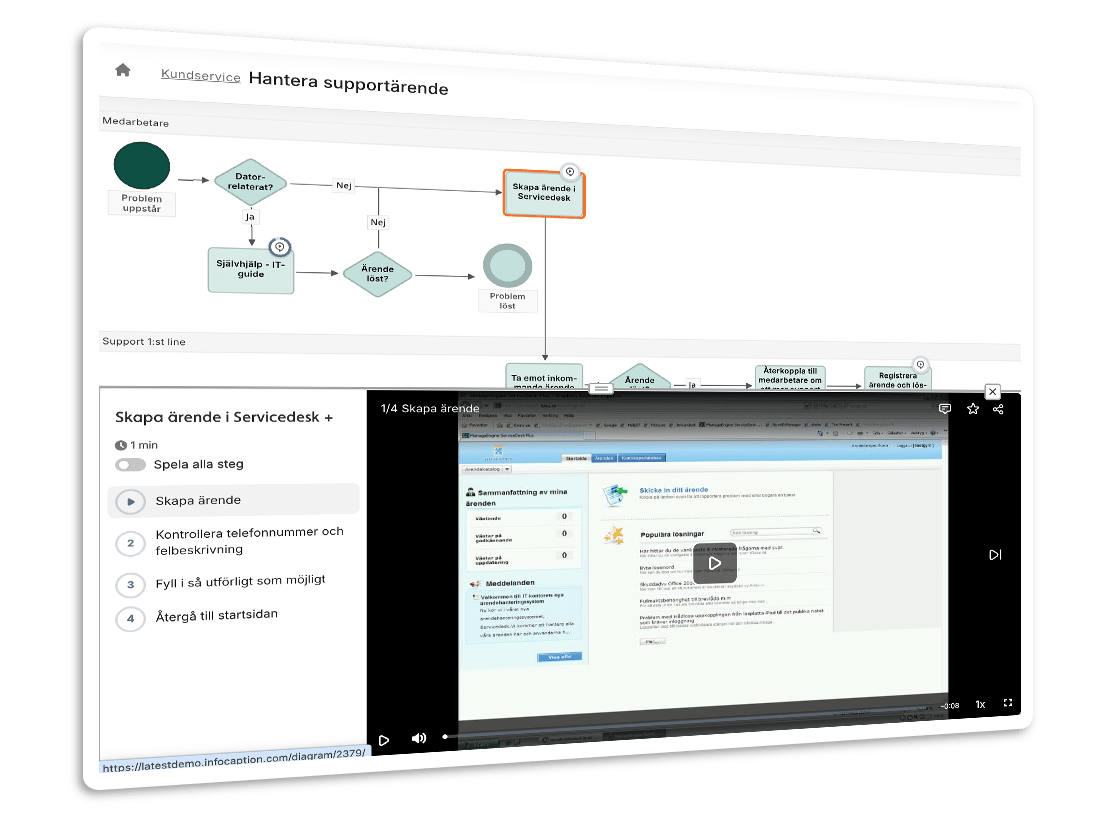
Make new ways of working easier to understand with process maps where each step can be linked to relevant guides and instructions. Users get a clear overview of what needs to be done, how it should be done and how each step connects to the wider workflow.
Systemimplementation_Bild2

Training and manuals

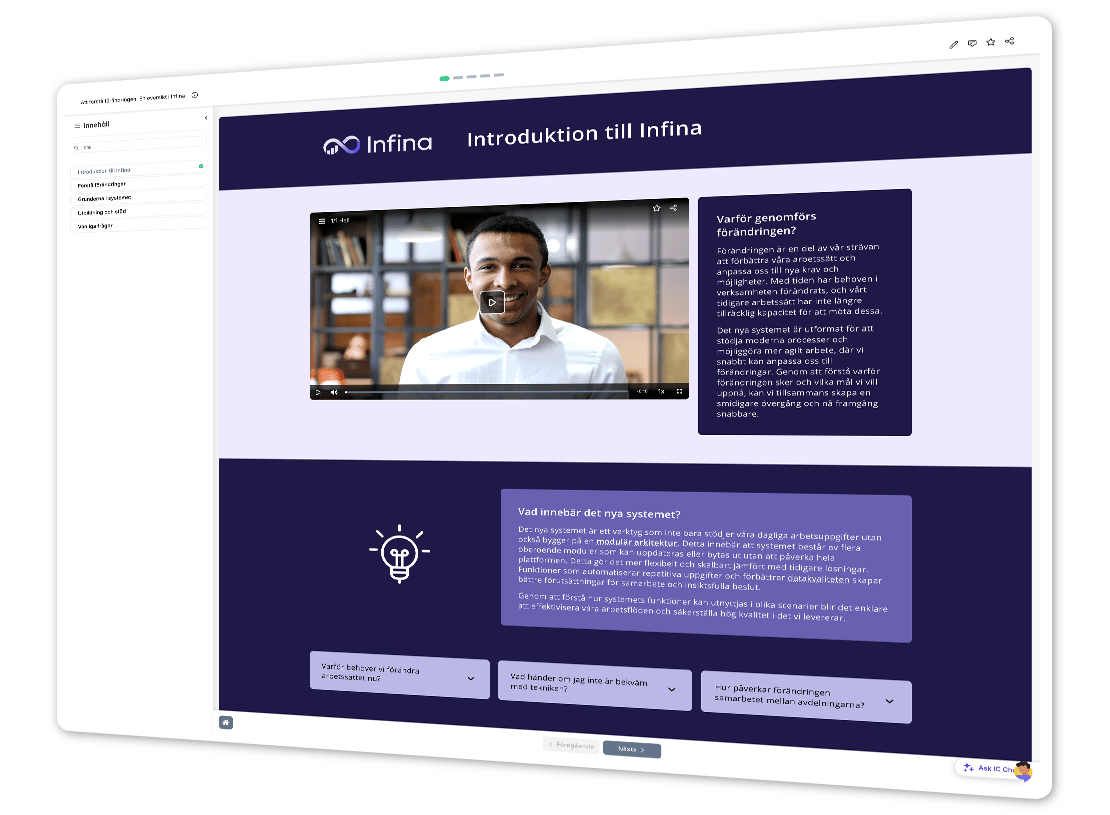
Structured training, introductory programmes and manuals help users understand the new system, routines and ways of working. They create a shared starting point and make it easier to return to the information when questions arise.
Systemimplementation_Bild3_1

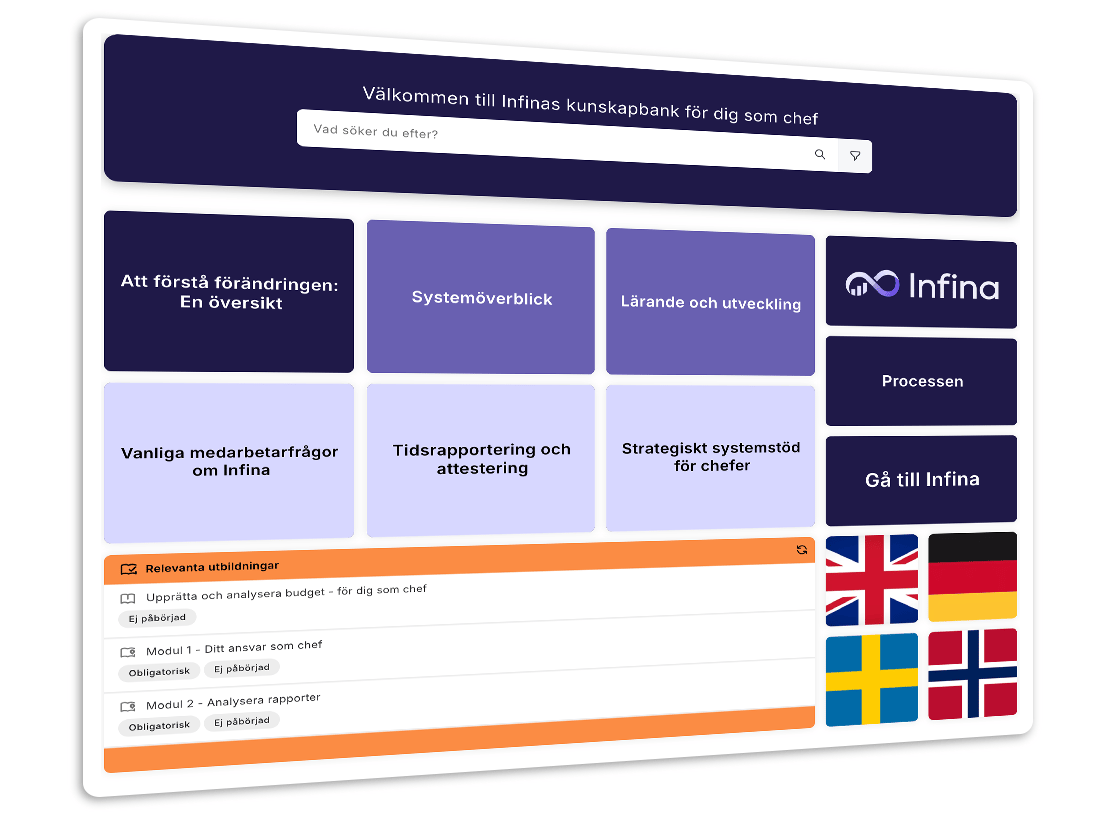
Knowledge portal for the whole organisation

Gather training, guides, process documentation and support material in one place, so users can find answers and revisit information when they need it.
Systemimplementation_Bild4_1
THE PLATFORMS

HOW TO INCREASE SYSTEM ADOPTION WITH INFOCAPTION

Adoption happens when employees can perform their tasks in practice, not just understand how it works in theory.

Support directly in the system

Guides and instructions are displayed next to the system where the employee is working. This makes it easier to move forward when questions arise or a task needs to be performed.

Process documentation

Visualise the workflows in the new system with process maps where each step is linked to a concrete instruction. The employee sees what needs to be done and how it is done, in one view.

Training and manuals

Structured training courses, induction programmes and handbooks prepare staff for launch and provide support when questions arise afterwards.


Knowledge portal for the whole organisation

Gather all system support, process documentation and knowledge content in one place. Employees find answers and guidance when they need it.

GET STARTED

Explore the platform

See how the InfoCaption platform works

LEARN MORE

Learn more about system implementation

BLOG

4 steps for a successful IT implementation from a learning perspective

Read the blog post
DO YOU HAVE ANY QUESTIONS?

Frequently asked questions about system implementation and adoption